Verify billing with exported data
Use exported submission data to check the transaction count on your preliminary bill before the final invoice. Finance counts a submission as one billable transaction on the date that it first moves out of its initial state. Export by that date, then compare totals.
Billing timeline
| Date | What happens |
|---|---|
| Before the 8th of the billing month | Generate your export data. |
| After you receive the preliminary figures, by the 14th | Reconcile the export against the figures and raise any discrepancies. |
| The 15th | The final invoice is generated. If the 15th is a weekend, it is generated on the next working day. For example, if the 15th is a Saturday, the invoice is generated on the Monday, the 17th. |
Who this applies to
- Audience: Scheme owners and officers who reconcile billing.
- Access required: The Export Submission permission on the scheme. If you do not see the Export data card, ask your scheme owner.
- Assumed knowledge: How to run an export. Refer to Export submission data.
Verify an ApplySG scheme
This applies to every scheme on the platform, including those on the Business Grants Portal and the Research Grants Portal.
- Export the data for the quarter. Set the Export condition to Submissions first transited from initial State, which is the First Transition Date filter. Set the From date to the first day of the quarter and the To date to the last day. Refer to Export submission data.
- Repeat the export for every form and every published version, parent and child. Submissions started on an older version can still have child submissions in progress under that version, so a missing version means missing records.
- Download the
.zipfiles when they are ready, and combine the records from all of them. - Count the submissions. Check that each record’s First Transition Date falls in the quarter.
- Compare your total with the quarterly email sent on behalf of ApplySG or with the preliminary invoice from TechBiz.
A submission created in one quarter counts in the quarter in which it first moves out of its initial state.
Verify a Business Grants Portal 1.0 scheme
Use this only for the earlier Business Grants Portal, referred to in the product as BGP 1.0.
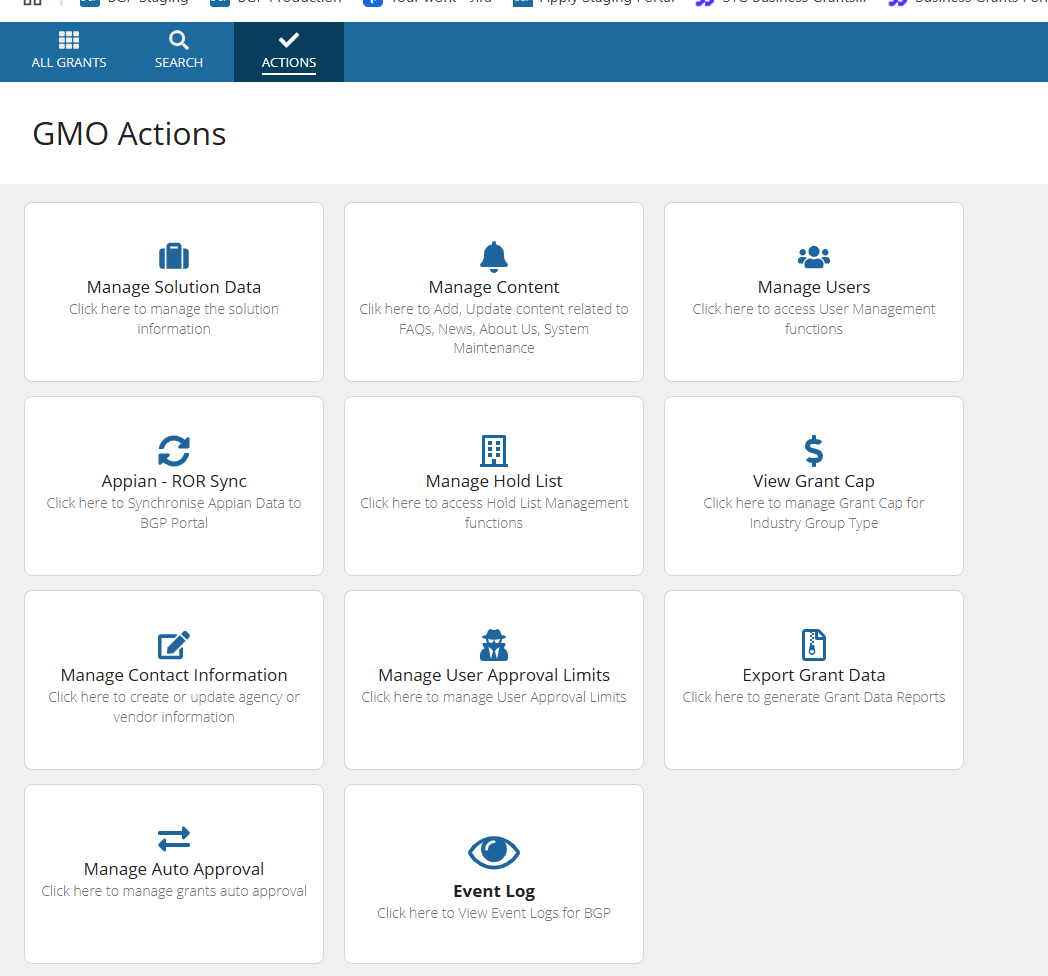
- In BGP 1.0, open Actions, then select Export Grant Data.
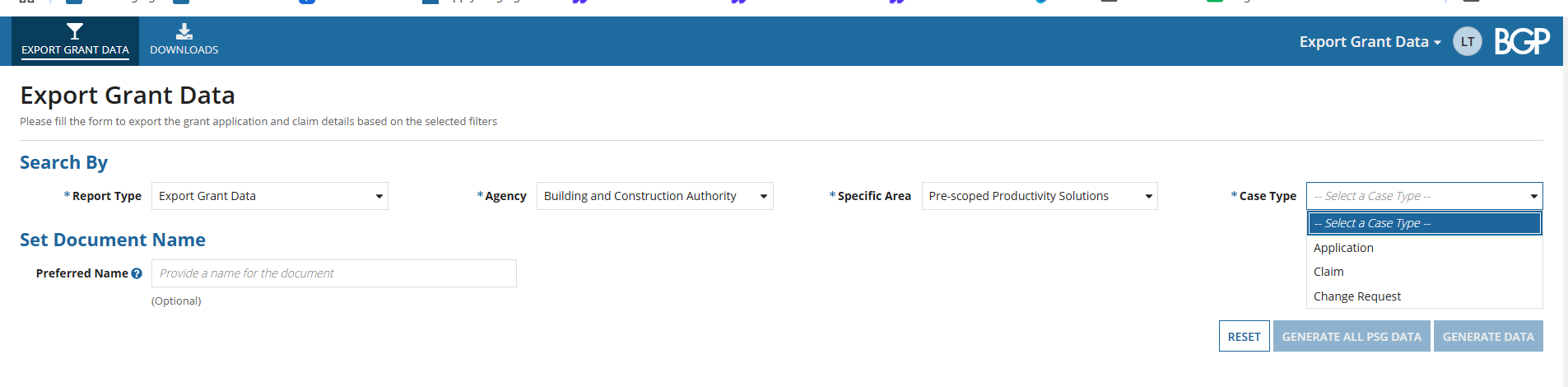
- Select the Agency, the Specific Area and the Case Type.
- Choose the date range for the quarter. For the third quarter, choose July to September.

- Select Generate Data.
- Repeat for each case type: Application, Change Request and Claim.
- Combine the exported data across the case types and compare the total with the preliminary billing figures.
Constraints and limitations
| Constraint | Detail |
|---|---|
| Export by First Transition Date | Use the First Transition Date filter, so your count matches what Finance bills. |
| All versions | Export every published version, current and earlier. |
| File retention | Exported files are available for 14 days. |
| Timing | Export before the 8th, and raise discrepancies by the 14th. |
Related features
- Export submission data: all export options.
- Pricing: what counts as a transaction.
