Calculated date component
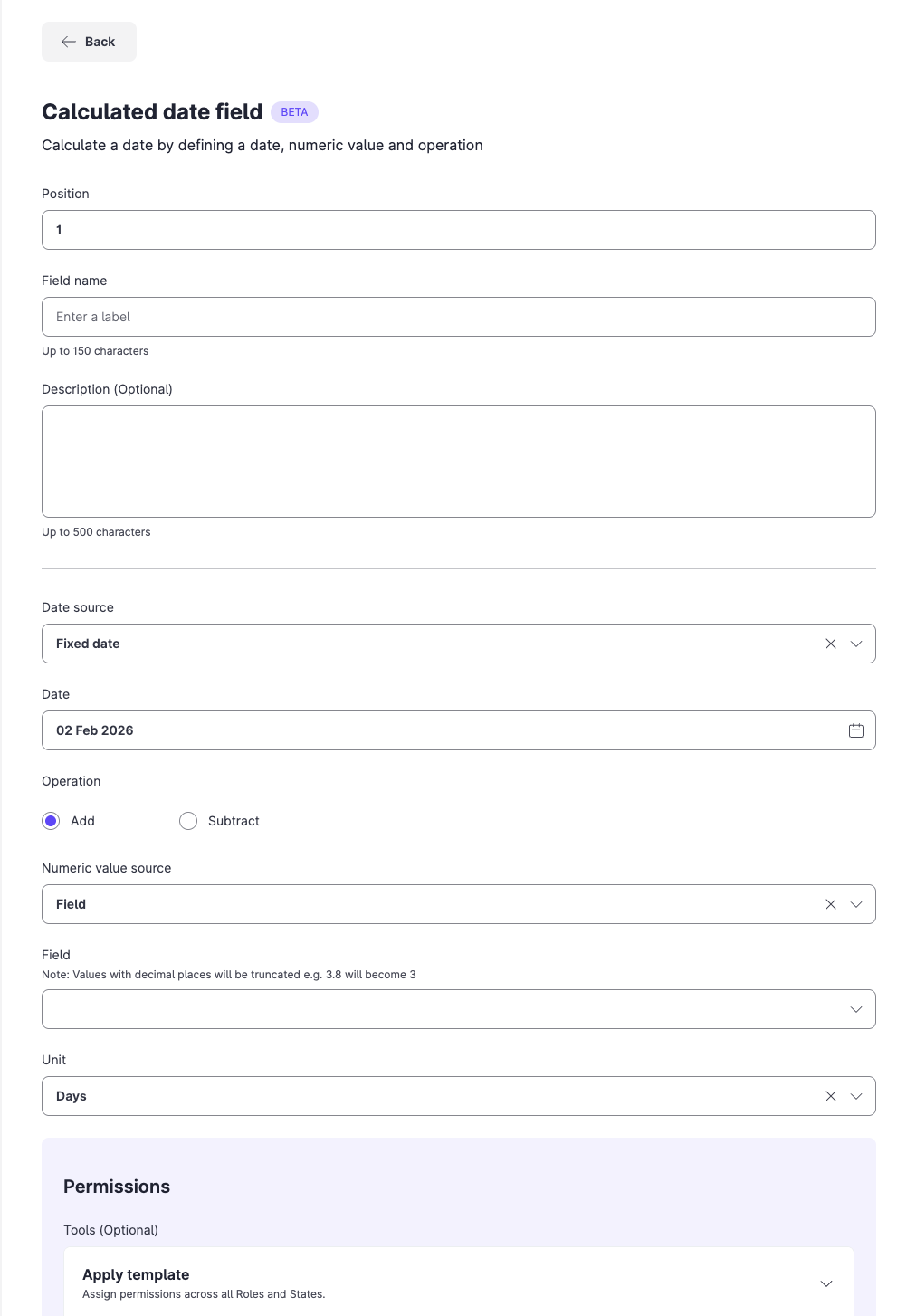
The Calculated date component derives a date from a fixed date or another date field, by adding or subtracting days or months. Use it for due dates, expiry dates and follow-up deadlines. The result updates automatically when the reference date changes.
Feature availability: The Calculated date component is in Beta.
Configuration fields
| Field | Required | Accepted values |
|---|---|---|
| Position | Required | A number. It sets where the field sits on the form. |
| Field name | Required | Up to 150 characters. |
| Description | Optional | Up to 500 characters. |
| Custom Reference ID | Always set | Your own ID, or a system-assigned one. It cannot be changed after you save. |
| Date source | Required | Fixed date, or Field. |
| Date | Required, for Fixed date | The fixed date to use. |
| Field | Required, for Field | An existing date field in the form. |
| Operation | Required | Add or Subtract. |
| Numeric value source | Required | Fixed value, or Field. |
| Numeric value | Required, for Fixed value | The number to add or subtract. |
| Numeric field | Required, for Field | An existing numeric field in the form. |
| Unit | Required | Days or Months. |
| Permissions | Required | Edit, View only or None, for each role and state. |
Constraints and limitations
| Constraint | Detail |
|---|---|
| Decimal values | If the numeric value comes from a field, decimals are truncated. For example, 3.8 becomes 3. |
| Reference field | The reference field must be a valid date field. |
| Month-end dates | Check the result when you add months to a month-end date. |
| Beta | The component is in Beta. |
Related content
- Form components: all form components.
- Date difference component: count the days between two dates.
- Preview a form configuration: test your configuration before you publish.
