Set component permissions
Component permissions decide what each role can do with each form component in each state. For every role and state you choose Edit, View or None. Two tools help you set many at once: Apply template and Bulk assign. Both are in the Permissions section of the component page.
Who this applies to
- Audience: Configurators.
- Access required: The View and Edit permissions on the scheme.
- Assumed knowledge: The form has roles and states, and you are adding or editing a component. Refer to Add components to a form.
Permission values
| Value | What the role can do in the state |
|---|---|
| Edit | Enter or change a value in the component. |
| View only | See the component but not change it. |
| None | The component is hidden from the role. |
Set permissions for one state
- In the Permissions section of a component, select a state from the State list.
- For each role, select Edit, View only or None.
- Repeat for each state.
Bulk assign a permission
Use Bulk assign when the same permission applies to several roles or states.
- Under Tools, open Bulk assign.
- Select the Roles. You can select several.
- Select the States. You can select several.
- Select one Permission.
- Select Assign.
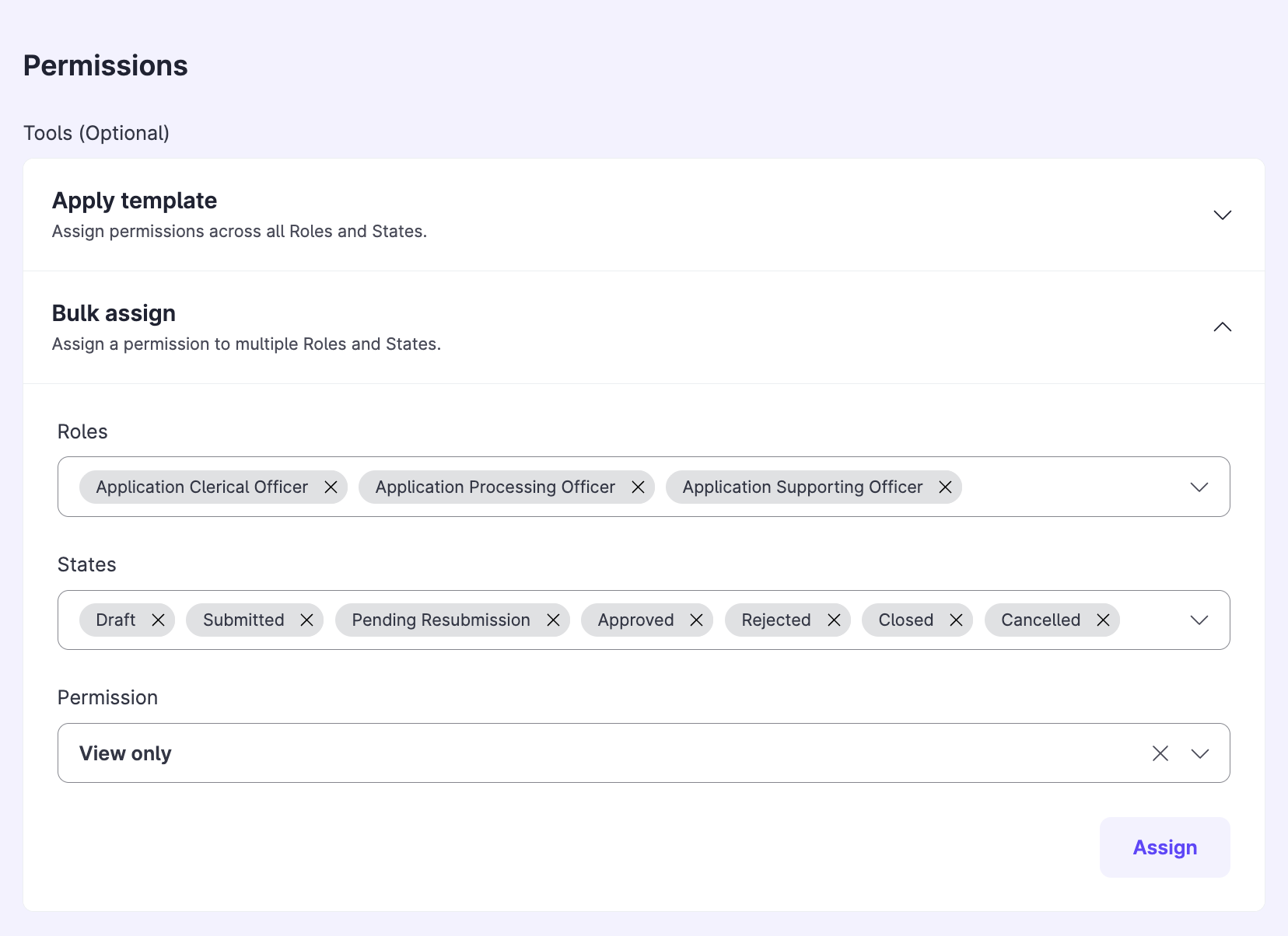
You can still edit any single permission afterwards.
Apply a template
Use Apply template to give all roles and states a standard permission setup in one step. For example, apply a template where editors can edit drafts and viewers can only view submitted forms.
- Under Tools, open Apply template.
- Choose a template and apply it.
Warning: Applying a template overwrites the component permissions that you set before, including permissions that you set with Bulk assign.
Constraints and limitations
| Constraint | Detail |
|---|---|
| Templated roles and states only | Templates work only for roles and states that come with the scheme template. Roles and states that you add later are not covered. |
| New roles and states | After you add a new role or state, applying a template sets it to None. |
| Overwrite | A template overwrites existing component permissions. |
| Addable sets | For an addable set, Edit means add and remove sets, and View means see sets. Fields inside a set have their own permissions. |
Related features
- Add components to a form: where the Permissions section sits.
- Set up a data patcher role: grant View and Edit across components.
