Manage applicant roles
Applicant user access management controls what Corppass users can do on a portal. A user requests applicant roles, and a user admin in the same Corppass account approves them. This applies to Corppass users on the ApplySG Portal and the Research Grants Portal only.
There are two types of Corppass user:
- ApplyGov User Admin — views and manages the applicant users in the same Corppass account.
- ApplyGov User — requests roles to transact on the portal.
User admins manage the users of the portal that they are signed in to.
Who this applies to
- Audience: Applicants who use Corppass, and the user admins in their organisation.
- Access required: To approve requests, you need the ApplyGov User Admin role in the ApplyGov e-service on Corppass. For how to get it, refer to the help articles for the ApplySG Portal and the Research Grants Portal.
- Assumed knowledge: The roles that users can request. Refer to Applicant roles.
Request roles as an ApplyGov user
- Get a Corppass role in the ApplyGov e-service.
- Sign in to the portal. On your first sign-in, complete your profile and select the roles that you want to request.
To see your assigned roles or request more roles later, open your profile page.
Approve role requests as a user admin
- Sign in to the production admin portal:
- Select the Manage User Roles card.
- Review the Pending requests list. Each request shows the request date, the user, the portal and the roles requested.
- Select Approve or Reject for each request.
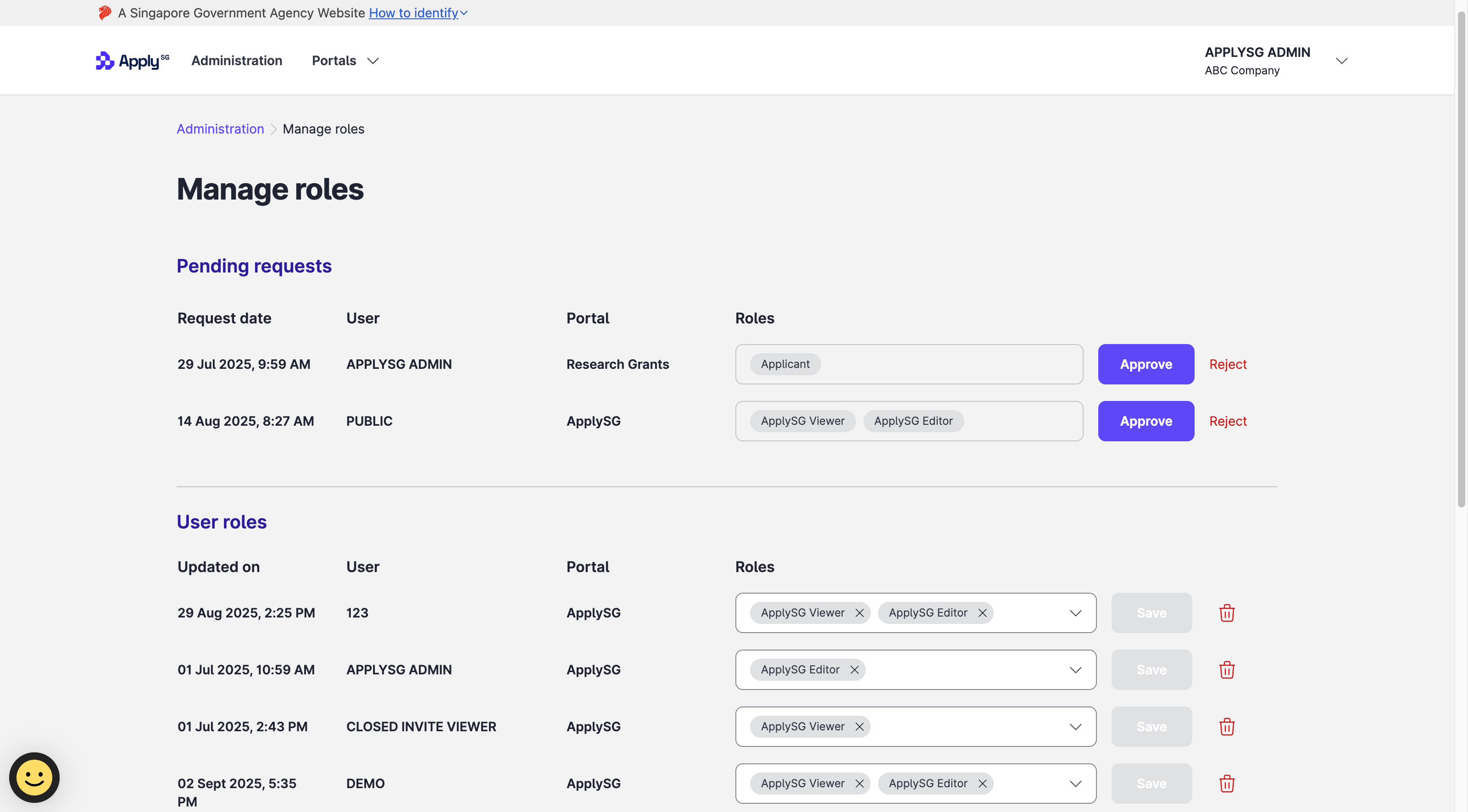
To add or remove roles for an existing user, change the roles in that user’s row of the User roles list and select Save.
Constraints and limitations
| Constraint | Detail |
|---|---|
| Portals | Applicant user access management applies to Corppass users on the ApplySG Portal and the Research Grants Portal only. |
| Admin role | Only a user with the ApplyGov User Admin role can approve, reject or change roles. |
| Staging | Staging has no real Corppass accounts. Test with stub accounts. Refer to Create a stub applicant account. |
Related features
- Applicant roles: the roles that applicants can request on each portal.
- Create a stub applicant account: test as an applicant in staging.
