My subscriptions
This area allows you to see the list of all subscribed topics including the status of each subscription. This page is available for Publisher and Subscriber. It displays the following information:
- Date
- Topic subscribed
- Published by
- Topic description
- Project name
- Status
- Action
Note:
- You can do sorting of columns for date, topic subscribed, published by, topic description, project name and status.
- You can do Search subscriptions based on project name, topic subscribed, topic description.
The following status includes:
- Subscribed – The status of the topic that is being subscribed
- Rejected – The status of the topic that is being rejected
- Pending – The status of the topic that is pending, you can withdraw the pending request
- Unsubscribed - The status of the topic when subscription is removed
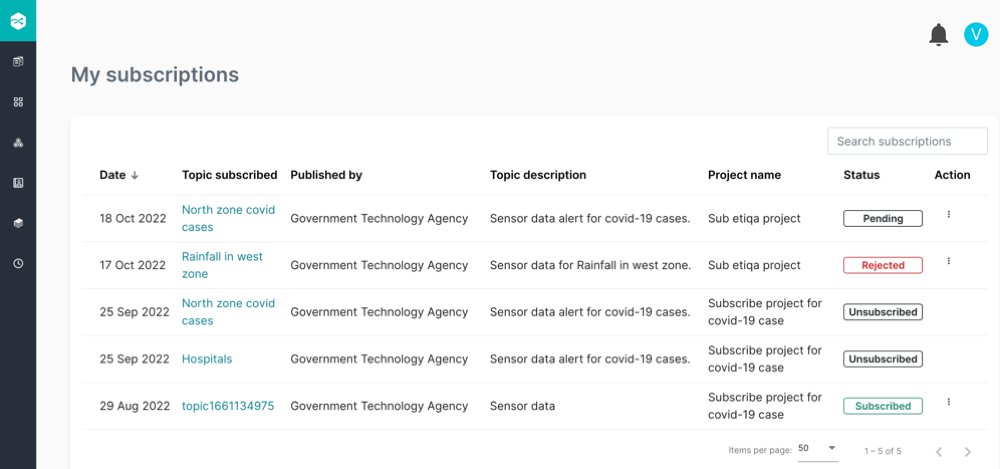
The Team admin and Publisher will receive an email notification to approve or reject the member’s request to subscribe to a topic. Once you click the Reject or Approve, action status will be shown in My subscriptions page.
To Unsubscribed to the topic:
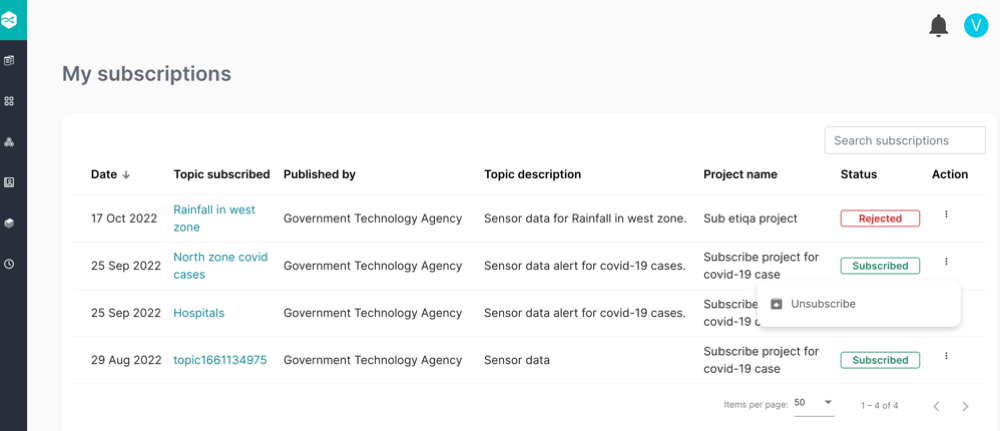
Step 1: Navigate to My subscriptions page and select subscribed topic with Subscribed status.
Step 2: Click  icon under the Action column.
Step 3: Click Unsubscribed.
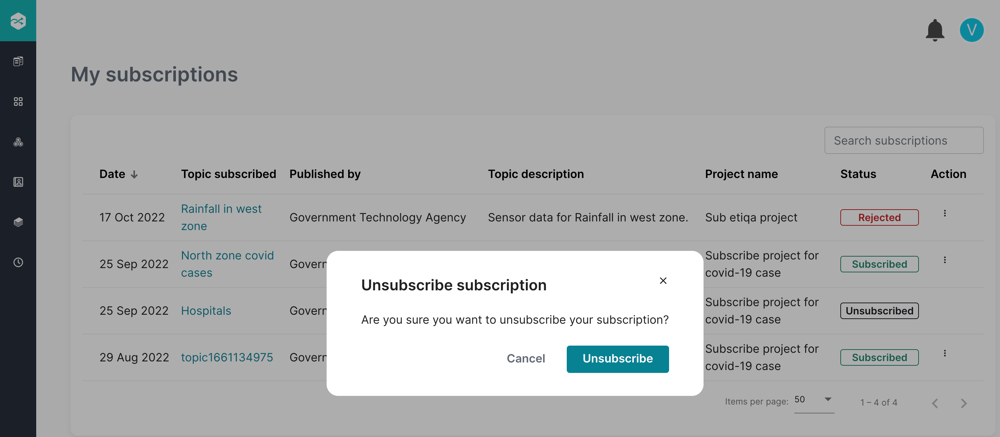
Step 4: A pop-up window appears to unsubscribe to the subscribed topic, click Unsubscribe. Once unsubscribed, the topic will be with status=Unsubscribed.
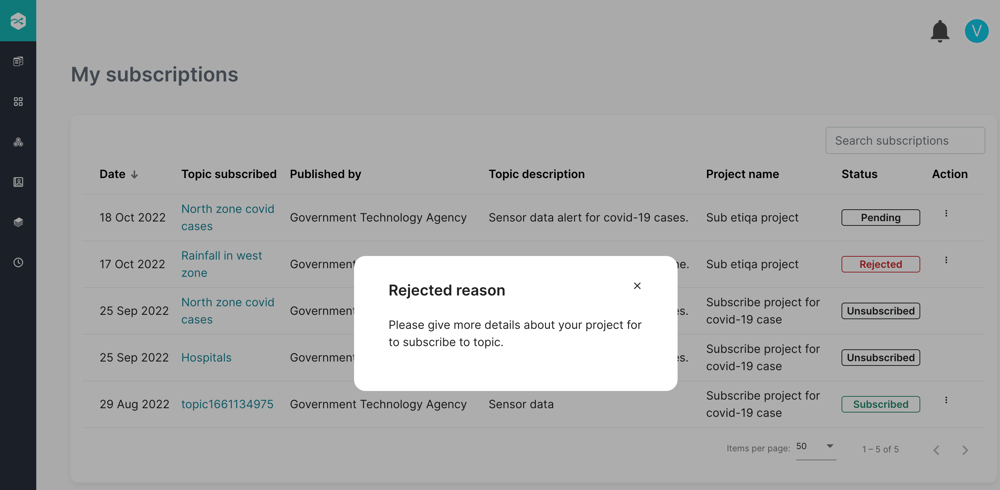
To View Reason of the Rejected topic:
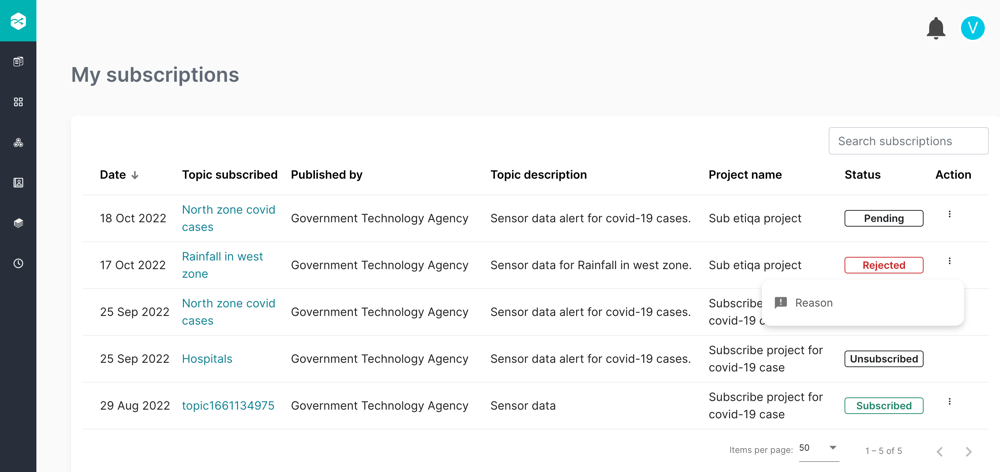
Step 1: Navigate to My Subscriptions page and select subscribed topic with Rejected status.
Step 2: Click icon under the Action column.
Step 3: Click Reason. A pop-up window appears showing the reason of the topic rejection.
Step 4: Click x.
Subscribers to Withdraw Pending Topic Subscription:
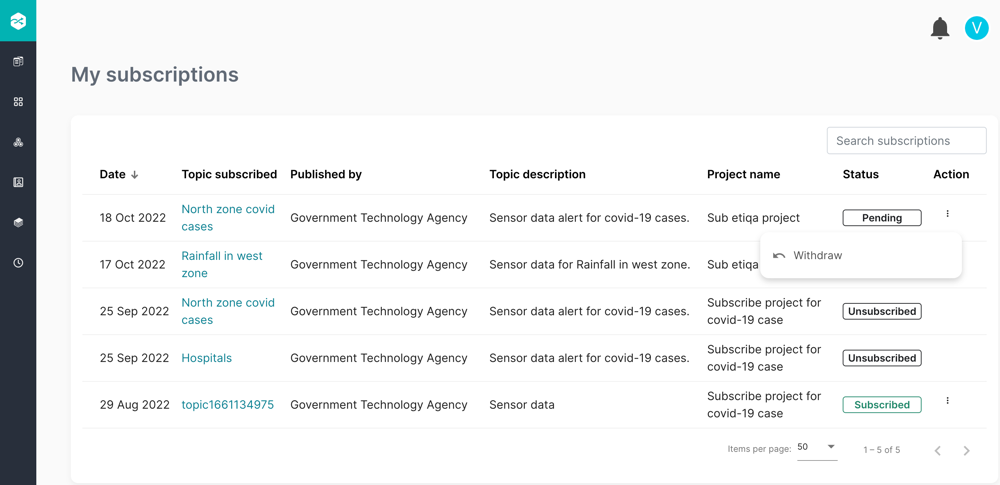
Step 1: Navigate to My subscriptions page and select subscribed topic with Pending status.
Step 2: Click icon under the Action column.
Step 3: Click Withdraw.
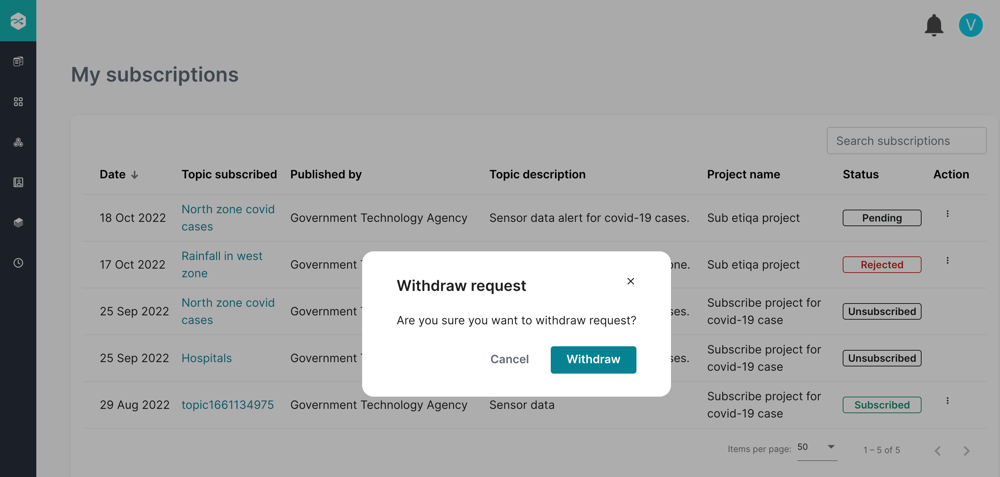
Step 4: A pop-up window appears to withdraw the request for the topic subscription. Click Withdraw to cancel the request, Alternatively u can click Cancel or x button to close the request.
Note
- Once withdrawn, the topic status=Unsubscribed in My subscriptions page.
- For Publisher the topic is removed from My subscribers page.
