Getting started
ADEX is a browser-based application that enables data sharing of real-time information using a self-service portal that will run from Government Commercial Cloud (GCC) on both internet and intranet.
In ADEX, a government agency can act as a publisher to publish real-time data. For example, the National Environment Agency (NEA) may publish and share health-related information about Covid-19 cases, see use cases scenario as an example.
To get started in using the application:
Step 1: Click this link and sign up using a valid agency email address (e.g. @tech.gov.sg).
Step 2: System will send an email notification to your email inbox. Click the link to verify and proceed to sign up. For more related information about sign up, see Sign Up.
Click link on how to get started.
Step 3: Upon successful sign up and log in, you can now create a team and invite team members to explore ADEX portal together with your agency members. For more related information about create or join team, see Team.
Step 4: Add a project to start publishing and subscribing, and create a new topic to share your data.
Note: You can refer to an example use case scenario.
You can view latest and available topics displayed in cards containing the topic related information in Browse Topics page.
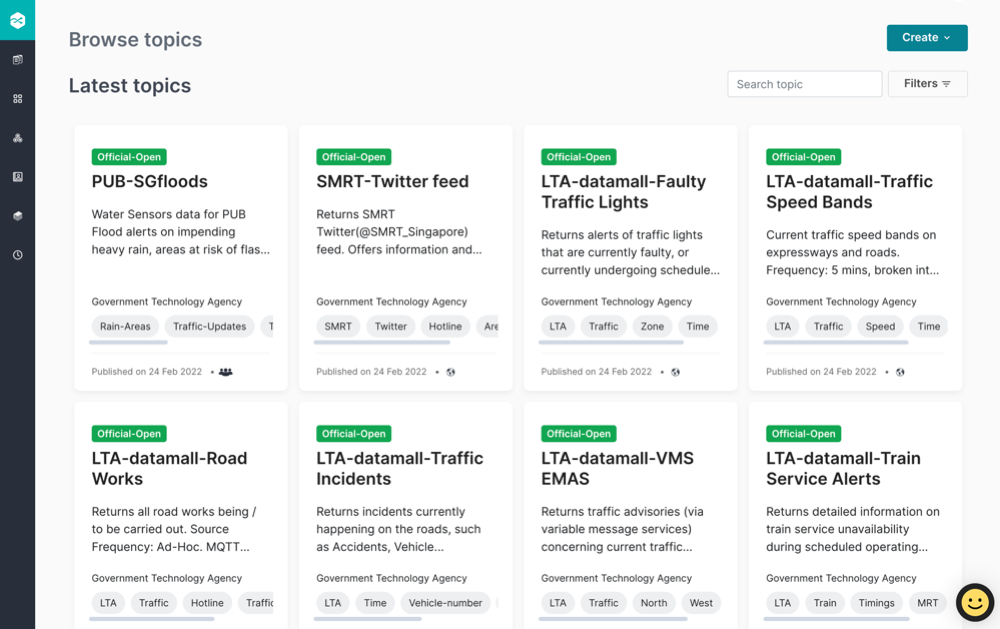

You can send an email request to sense@tech.gov.sg for enquires about ADEX features.
For more related information about how to manage project and topics, see Team.
Here is an example use case scenario:
Where: Agency A - For example, National Environment Agency (NEA)
Agency B - For example, Government Technology Agency (GovTech)
Scenario:
Note: To create a new project in ADEX you need to be in a team, create new team, see Team.
Agency A will publish and share the information about the “Hospitals”, Agency B subscribes to this topic.
Agency A will create a Project named “covid-19 cases” and create a topic and publish it.
How to create a publish project:

Agency A, publishes new topic name “Hospitals”.
How to publish a topic:

Agency B creates a project and can subscribe to Agency A topic.
How to create a project to subscribe to a topic

How to subscribe to a topic

Agency B, subscribes to topic.
Agency A, as a publisher will be notified by email to approve the subscription request.
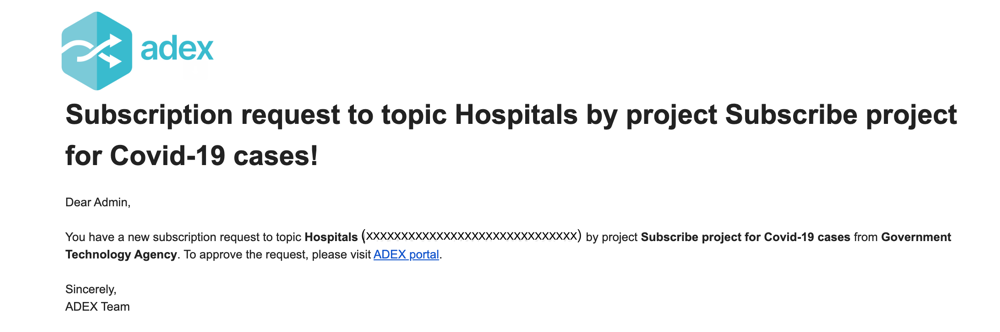
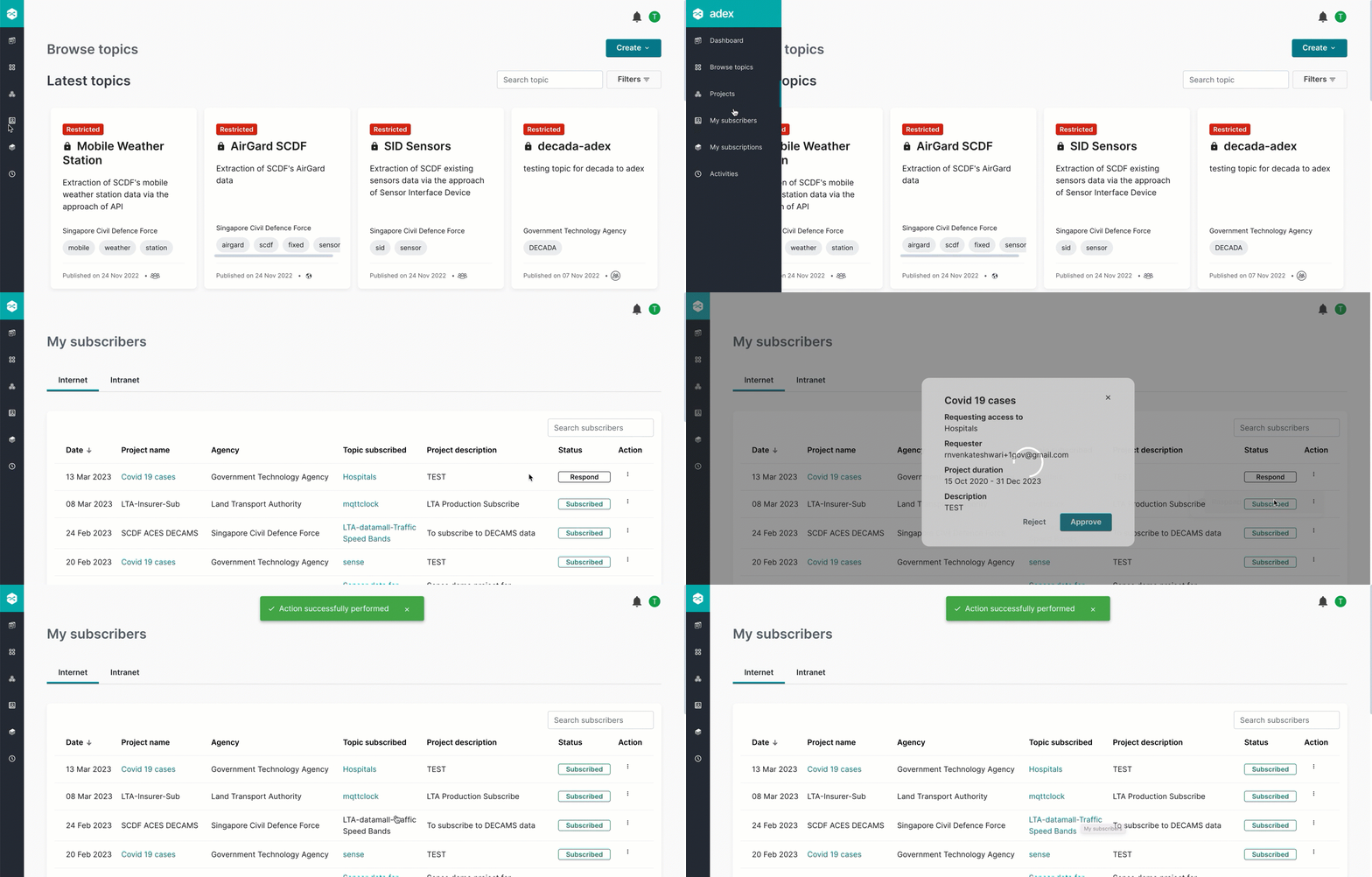
Agency A, can click the ADEX portal link from the email to login to ADEX portal and can approve the subscriber request for topic “Hospitals”.
How to approve subscription request to a topic
Agency B, will be notified via email for subscription to topic “Hospitals” is approved!
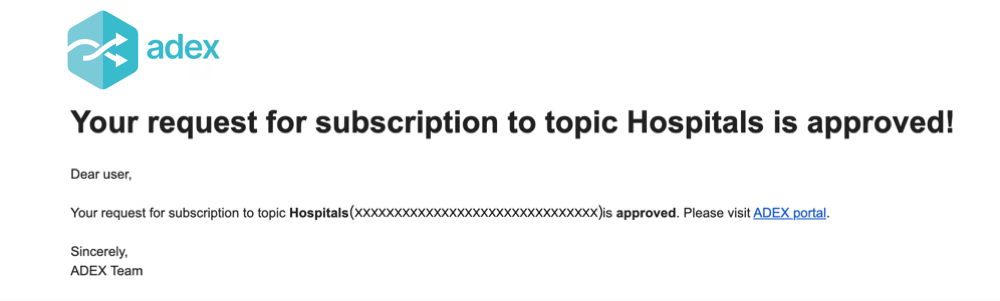
Agency B, can click the ADEX portal link from the email to login to ADEX portal and can see the subscription approved! for topic “Hospitals”.
