Using the Sidebar Plugin
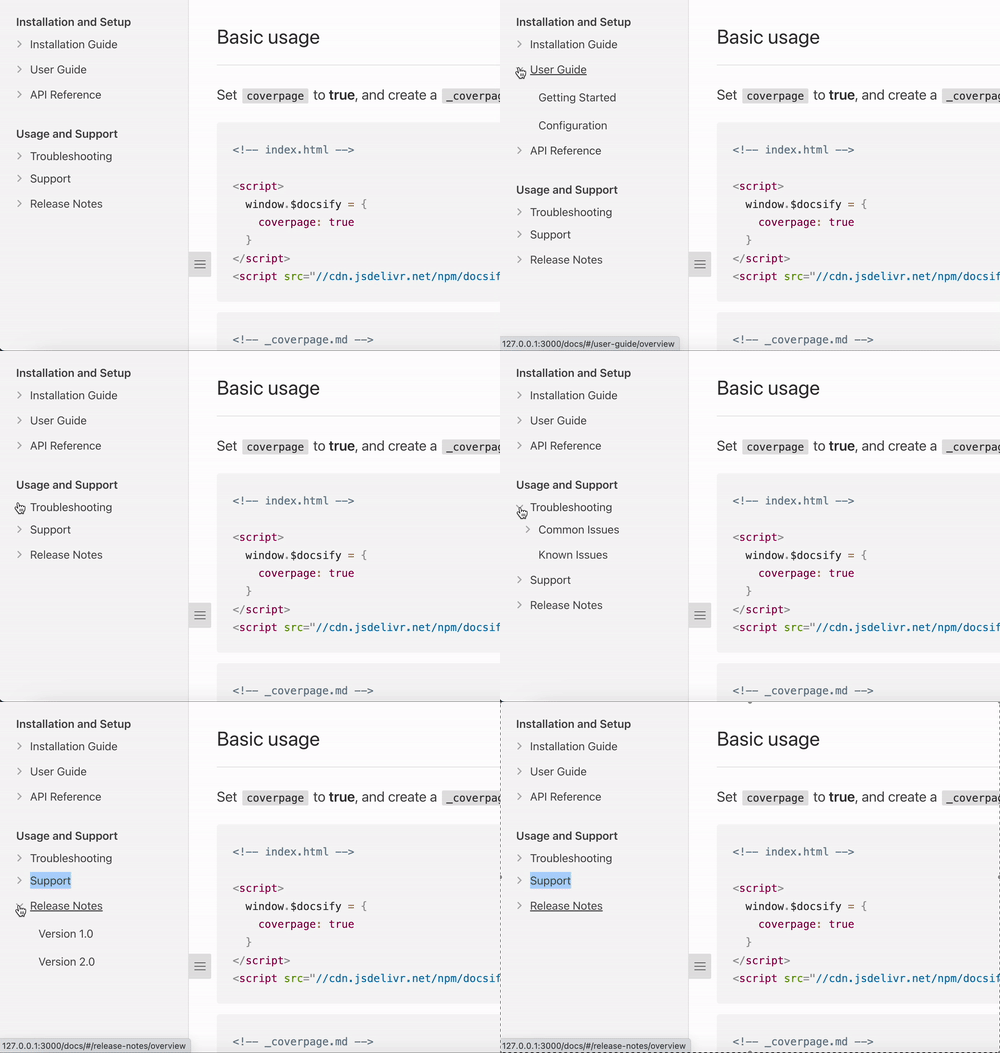
The Sidebar plugin allows you to nest your page links into interactive folders you can collapse and uncollapse!
Setup
Step 1: Configure docsify-sidebar-collapse plugin
Add the following code to the HTML file where you initialize Docsify:
window.$docsify = {
enableSidebarCollapse: true
};This configuration enables the plugin to toggle on or off.
Step 2: Insert style/script into
Insert the necessary styles and scripts into your Docsify document. Ensure the
following code is inside the head section of you HTML file:
<head>
<link rel="stylesheet" href="//cdn.jsdelivr.net/npm/@sg-developer-portal/doc-theme-default@0.0.13/public/dist/doc.css">
</head>This code imports the required CSS stylesheets for the theme of the Docisfy page.
Add the following code to the section of your HTML file:
<body>
<script src="//cdn.jsdelivr.net/npm/@lx0f/docsify-sidebar-collapse@latest/dist/docsify-sidebar-collapse.bundle.js"></script>
</body>This code imports the JavaScript file for the docsify-sidebar-collapse plugin.
Step 3: Create/Update your sidebar markdown file
To create a top level category/section:
Category/Section
- Links
...To create a folder:
- Folder
- [Link](link/to/file)To create a link folder:
- [Link Folder](link/to/file)
- [Nested Link](link/to/another/file)Example
Markdown
Installation and Setup
- Installation Guide
- [Windows Installation](install-guide/windows)
- [Mac Installation](install-guide/mac)
- [Linux Installation](install-guide/linux)
- [User Guide](user-guide/overview)
- [Getting Started](user-guide/getting-started)
- [Configuration](user-guide/configuration)
- API Reference
- [API Documentation](api-reference/api-documentation)
Usage and Support
- Troubleshooting
- Common Issues
- [Error Messages](troubleshooting/error-messages)
- [Troubleshooting FAQ](troubleshooting/faq)
- [Known Issues](troubleshooting/known-issues)
- Support
- [Contact Us](support/contact-us)
- [Community Forums](support/community-forums)
- [Release Notes](release-notes/overview)
- [Version 1.0](release-notes/v1.0)
- [Version 2.0](release-notes/v2.0)Output