Teams and Permissions
Working in Teams
Products are government digital solutions which requires documenting. Examples of Products are TechPass, SHIP Hats, NDI, etc.
Each document is published under a Product and maintained by all users of the Product’s Team.
Please approach the Developer’s Portal team for your Product to be created so that you may begin writing and publishing documentation for it. You will also need to provide a list of TechPass emails to be added into the Product’s Team and in doing so, all members in the team will be able to manage and publish documentation for the Product.
You may view the team member details of your Product by browsing to Team Docs from the navigation bar and then selecting a Product. Refer to the below image.
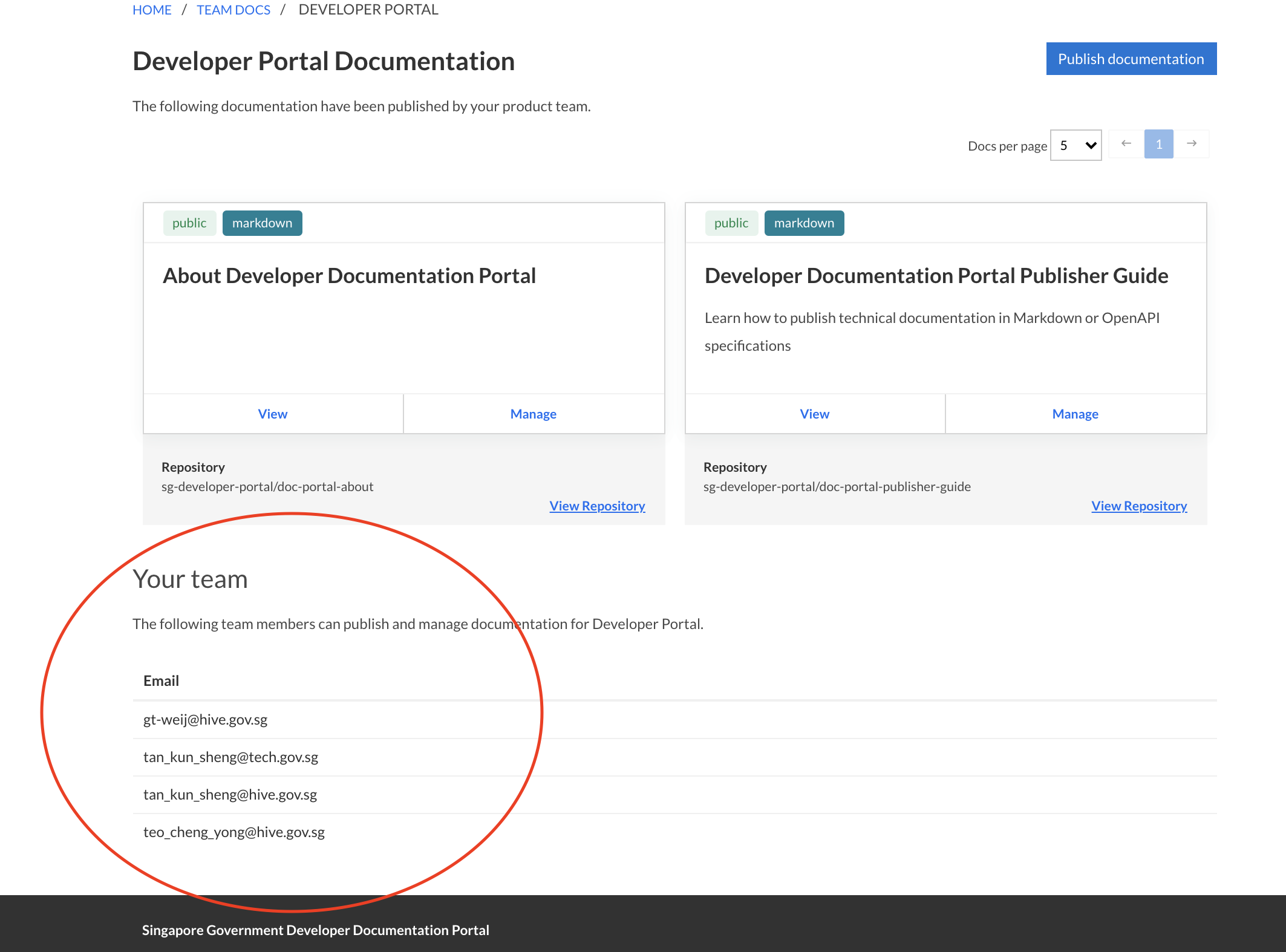
All members in the Product will be able to manage document settings on Developer’s Portal. For example, changing the document’s display name, the git branch from which it is published from and more.
For collaboration with regards to the documentation’s contents on GitHub’s repositories, see below.
GitLab
You can use SHIP-HATS GitLab private/internal repositories for hosting your documentation.
Any individual or group members with minimum
maintainerlevel access to the repository would be able to publish/unpublish that documentation in the documentation portal.An example of an organisation repository’s access configuration is shown below. In this example, only
AnbarasanandAndy Lamhave the rights to publish/unpublish the documentation from the documentation portal.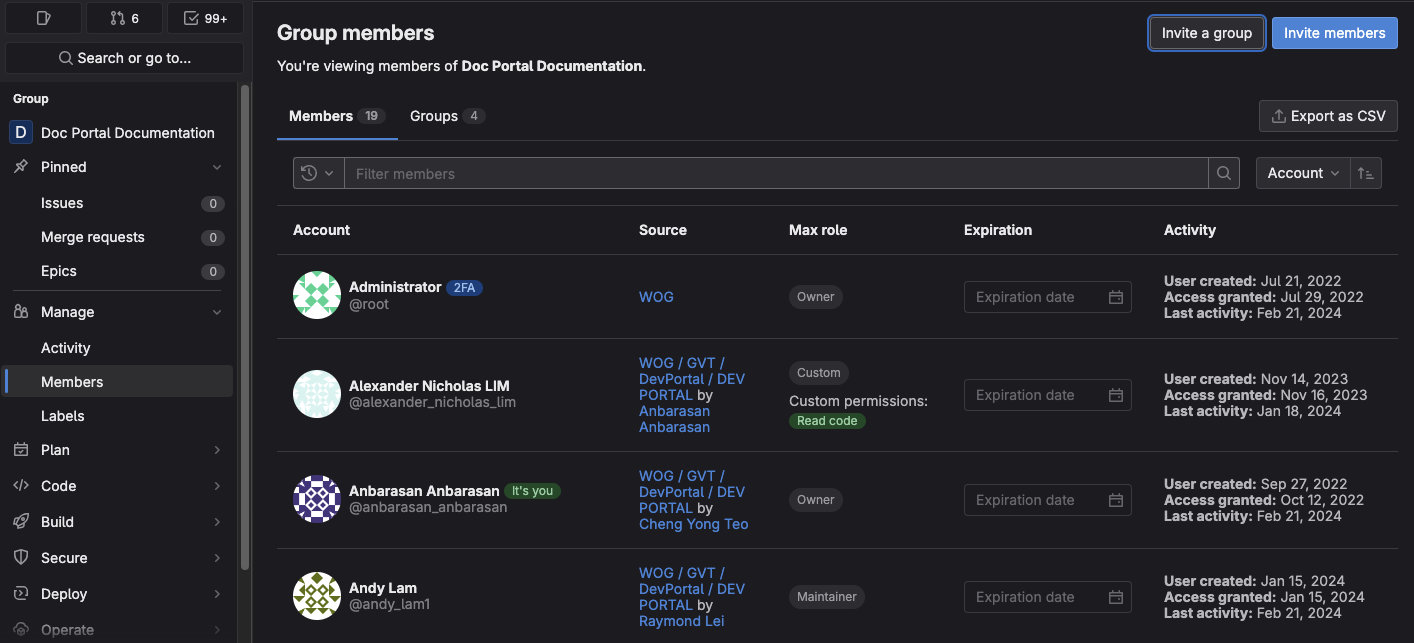
Should you require further information please feel free to contact Developer Portal Team.
GitHub
Migrating documentation from private GitHub repositories to SHIP-HATS GitLab.
If your documentation is maintained by a team, you can either:
Use a personal account and invite individual collaborators
This allows you to work on public and private repositories. However, only the owner of the GitHub repository will be able to publish or unpublish documentation on the developer documentation portal.
Use teams in a GitHub organisation account
Your documentation repository would need to belong to a GitHub team/organisation. From there, you can create a team, invite team members and give the team read/write permissions to your repository. You can similarly grant individuals access to your repository.
Any individual or team with
adminlevel access to the repository would be able to publish/unpublish that documentation from the documentation portal.An example of an organisation repository’s access configuration is shown below. In this example, only
Team mate 1andRepository Ownerhave the rights to publish/unpublish the documentation from the documentation portal.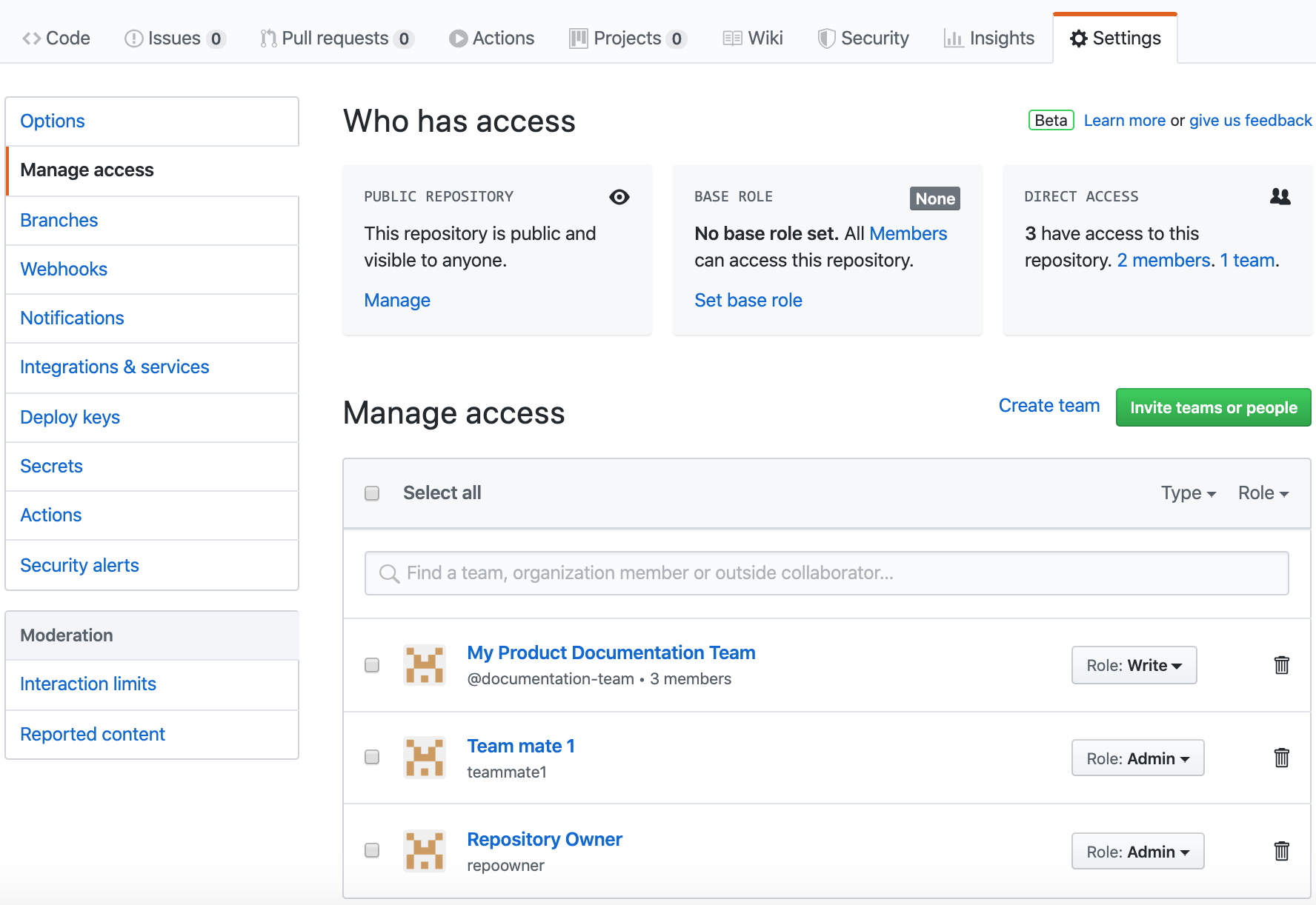
For your convenience, you can use the developer documentation portal’s GitHub organisation to host your documentation repositories. Should you require further information please feel free to contact Developer Portal Team.
For collaboration with regards to the documentation’s contents on SHIP-HATS GitLab’s repositories, see below.
Configuring permissions for readers
If you publish a project in public mode, it will be publicly accessible from the internet.
If you choose private mode, only users logged in to developer documentation portal through TechPass will be able to see it.
In private mode, you can also set specific access controls via email domains or specific emails. For example, access granted for tech.gov.sg and john@example.gov.sg allows all users with a tech.gov.sg email as well as the user whose email is john@example.gov.sg to read your published documentation.
You can also specify the category that your documentation belongs to. For a complete description of publishing settings, see advanced settings.
